
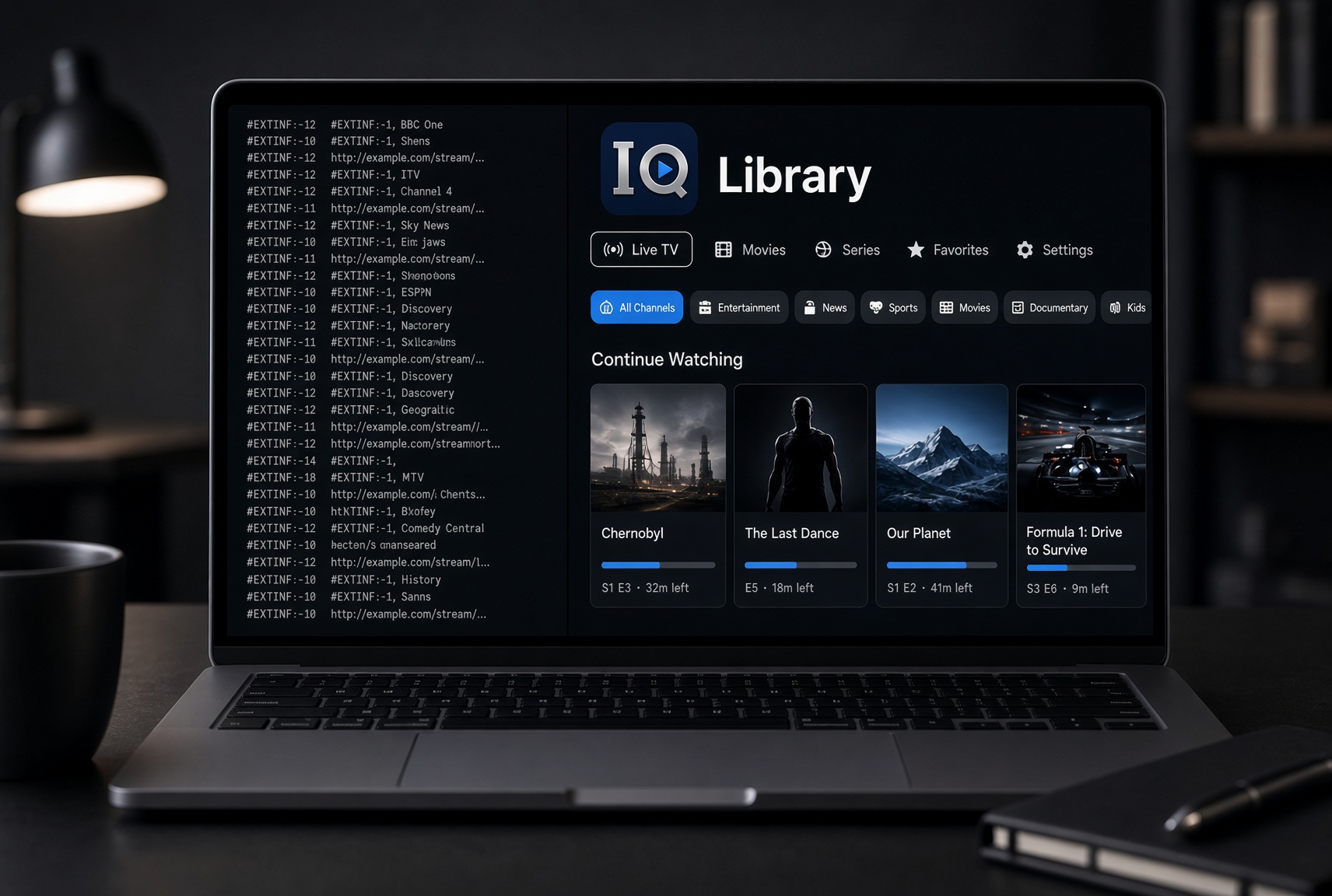
A basic IPTV player on Mac does one thing: it opens the stream you point it at. That works until your source grows. Channels, movies and series sit in one long list. There is no clear separation, almost no memory of where you left off, and nothing that feels like a proper media app. In 2026, the better question is not “which player opens M3U files?” but “which app actually organizes the source I already have?”
That is where IPTVIQ stands out. It is a native macOS application that takes the IPTV sources you already use and turns them into a coherent, searchable library. It does not sell channels or act as a provider. It simply makes the source you already have feel less like a text file and more like a modern streaming interface.
What IPTVIQ Actually Is
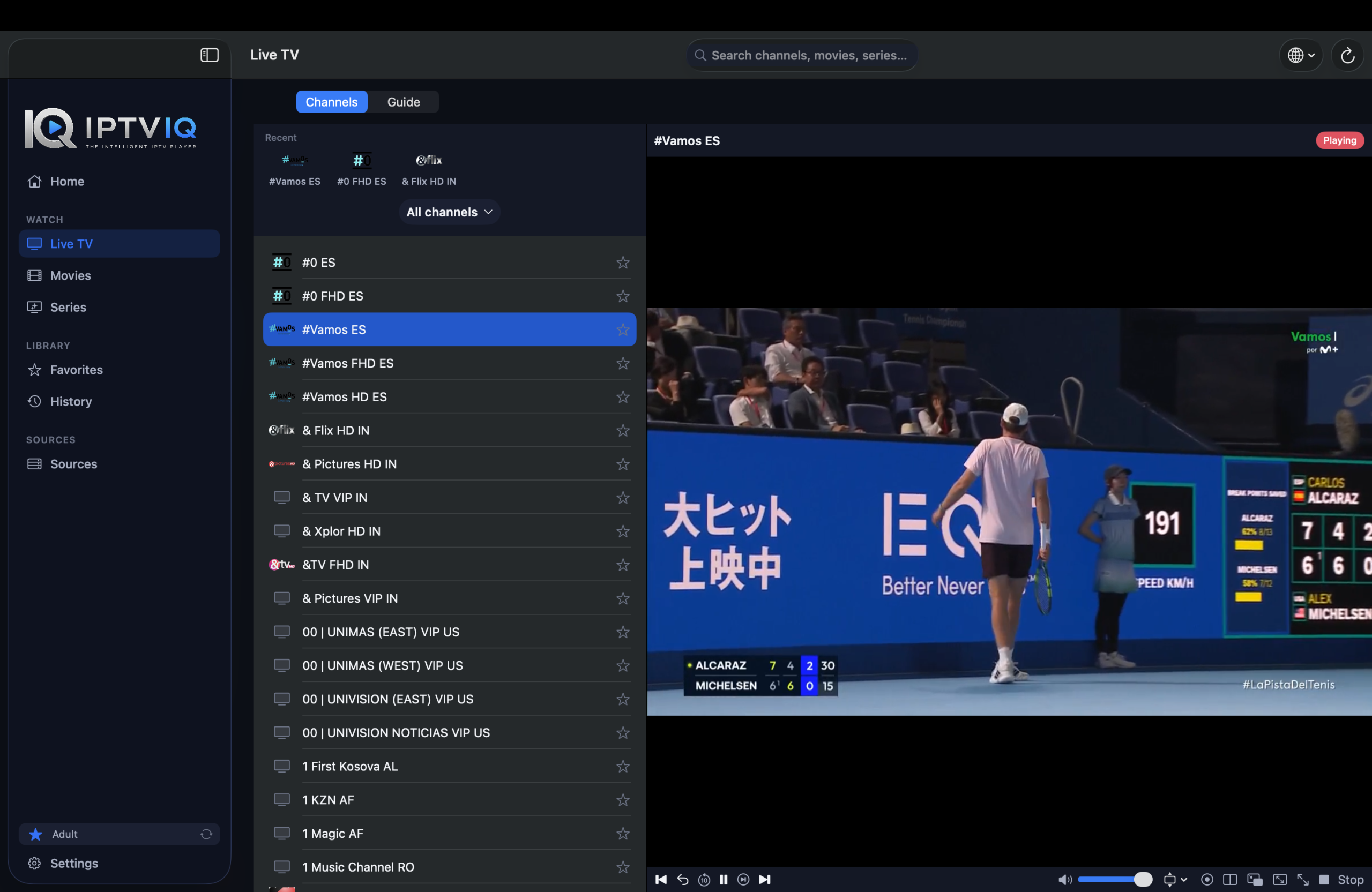
IPTVIQ is built for macOS 14 and later. You add an authorized Xtream Codes account, an M3U or M3U8 playlist, an XMLTV guide, or a Stalker/MAG/Ministra portal. The app parses the data locally and presents Live TV, Movies and Series as separate, organized sections. Everything stays on your device. The path is always from your provider to your Mac; IPTVIQ does not sit in the middle as a streaming service.

What It Is Not
It is not an IPTV subscription. There are no channels included, no “premium package” to buy inside the app, and no recommendation of any particular provider. If you do not already have a source you are authorized to use, the app has nothing to play. This is the same limitation any video player has without a video file.
Why Most Playlist Players Fall Short on a Mac
Most free or basic players treat an M3U as a flat list of URLs. Categories are weak or missing. Movies and series are mixed with live channels. There is little or no Continue Watching behavior. Favorites and history are either global or non-existent. On a Mac used by more than one person, the result is clutter.
IPTVIQ solves the organization problem first. Live TV stays in its own categories. On-demand content is grouped as Movies and Series. Progress is remembered. Search works across the whole catalog. The interface is designed like a media library rather than a playlist viewer.
Supported Sources and Practical Flexibility
You can connect:
- Xtream Codes panel accounts
- Remote or local M3U / M3U8 playlists
- XMLTV guide files
- Stalker / MAG / Ministra portals
Multiple sources can sit side by side. Each one can use its own proxy setting (Direct, HTTP, HTTPS or SOCKS5) for connection and media traffic. This is useful when different sources need different routing.
Live TV With a Usable Guide
Channel browsing is category-based. You can enter a channel number directly and use Recall to jump back to the previous one. During playback a mini-EPG overlay shows what is on without forcing you out of the stream. Now and Next information is available where the source supplies it. The quality of this experience depends entirely on how complete the EPG from your provider is; IPTVIQ does not invent missing guide data.
Movies, Series and Continue Watching
Compatible sources deliver their on-demand catalog as a proper library. You can resume exactly where you left off and move to the next episode when you finish one. This single behavior changes the daily experience more than most people expect when they switch from a basic player.
Search, Favorites and History
Global search works across Live TV, Movies and Series. Favorites and watch history are stored per profile, so one user’s list does not overwrite another’s. On a shared Mac this keeps the library usable instead of turning it into a shared mess.
Catch-up and Watch from Start
Where your provider supports it, you can start a recent program from the beginning or step back through recent broadcasts. This feature is source-dependent. If the provider does not offer catch-up, the option is simply not present. IPTVIQ does not create archives on its own.
Local Recording Versus Basic Playback
You can manually record a live stream you are authorized to watch and save the file to a folder you choose on your Mac. This is personal time-shifting only. It is not a cloud DVR and it is not intended for redistribution. Scheduled recording from the guide is planned for later; it is not available today.
Multiview and Connection Resilience
You can watch two streams side by side. Smart Recovery detects real playback stalls caused by brief connection drops and reconnects automatically. It is deterministic logic, not an AI feature, and it cannot fix a source that is genuinely unreachable.
Profiles and Household Use
Separate profiles keep history and favorites private. Kids profiles enforce approved-content rules across Home, Search, Guide and playback. This is one of the clearer advantages over a basic playlist player that has no concept of users.
Honest Multi-Device Status
The public app today is for macOS 14+. Apple TV is in testing. iOS, iPadOS, Windows, Android and Android TV are planned. Cloud Sync of user state (favorites, resume positions, profiles and Kids rules) is also part of the longer roadmap. It would sync settings and library state only; video still comes directly from your provider.
Comparison: Basic Player vs IPTVIQ Today
| Feature | Basic Playlist Player | IPTVIQ Today (macOS) | Direction |
|---|---|---|---|
| Organized Live + Movies + Series | No | Yes | Yes |
| Continue Watching | Rare | Yes | Yes |
| Proper mini-EPG | Limited | Yes | Yes |
| Per-profile favorites | Rare | Yes | Yes |
| Multiple sources + proxy | Varies | Yes | Yes |
| Manual local DVR | Sometimes | Yes | Yes |
| Multiview | Rare | Yes | Yes |
| Kids restrictions | Rare | Yes | Yes |
| Other platforms | Mixed | macOS only | Planned |
Who Should Consider It
This app fits people who already have a source and who are tired of scrolling a flat list on their Mac. It is especially useful if you watch both live TV and on-demand, if more than one person uses the computer, or if you simply want the interface to feel like a proper media app instead of a playlist opener. It is not the right choice if you are looking for channels included in the price.
Getting Started
- Download IPTVIQ from the Mac App Store.
- Add the Xtream, M3U, XMLTV or Stalker source you already use.
- Create profiles if more than one person will watch.
- Browse the organized library instead of a raw list.
Current Reality and Roadmap
Available now: native macOS 14+ app (Universal for Apple Silicon and Intel).
In testing: Apple TV.
Planned with no public date: iOS, iPadOS, Windows, Android / Android TV, plus Cloud Sync of user state.
Disclaimer
IPTVIQ does not host, sell or supply any content. Use only sources you are authorized to access. Recording is for personal time-shifting. Guide and catch-up completeness depend entirely on your provider.
If you are searching for the best IPTV app for Mac in 2026 and you already have a source, the deciding factor is usually organization. A raw playlist player opens streams. IPTVIQ turns those same streams into a searchable, profile-aware library that is far more practical for everyday use on a Mac. Your source stays yours; the app simply makes watching it cleaner.