Watching IPTV on a computer should involve more than opening a playlist and scrolling through hundreds of channels. A modern IPTV application needs to organize live television, movies and series while providing the features users have come to expect from today’s streaming platforms.
IPTVIQ takes this approach on macOS.
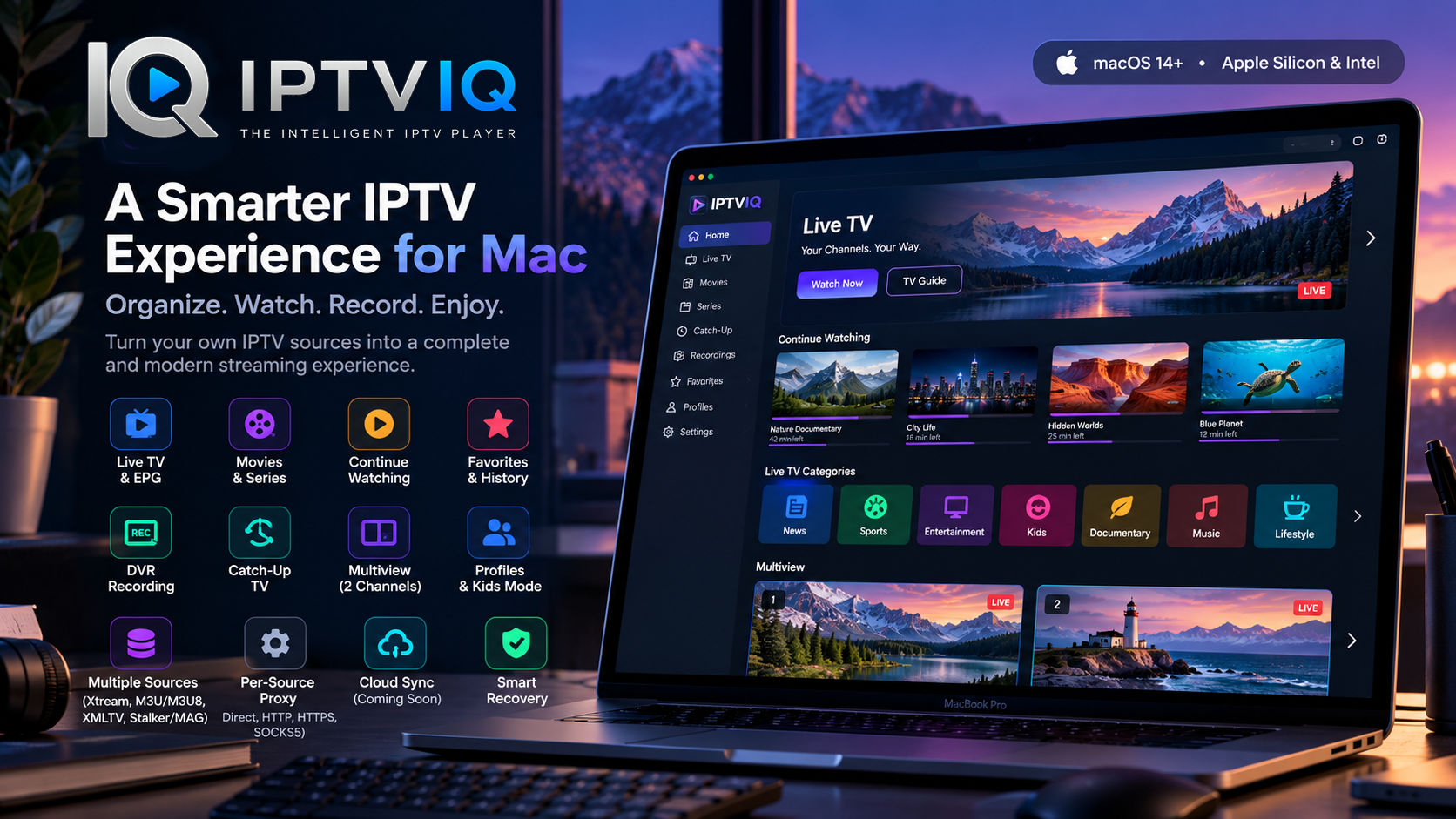
Designed as an IPTV player rather than an IPTV provider, IPTVIQ allows users to connect their own compatible sources and manage them through a modern interface. Features including EPG integration, DVR recording, Catch-Up TV, Multiview, profiles, favorites and playback history turn the application into a more complete entertainment environment.

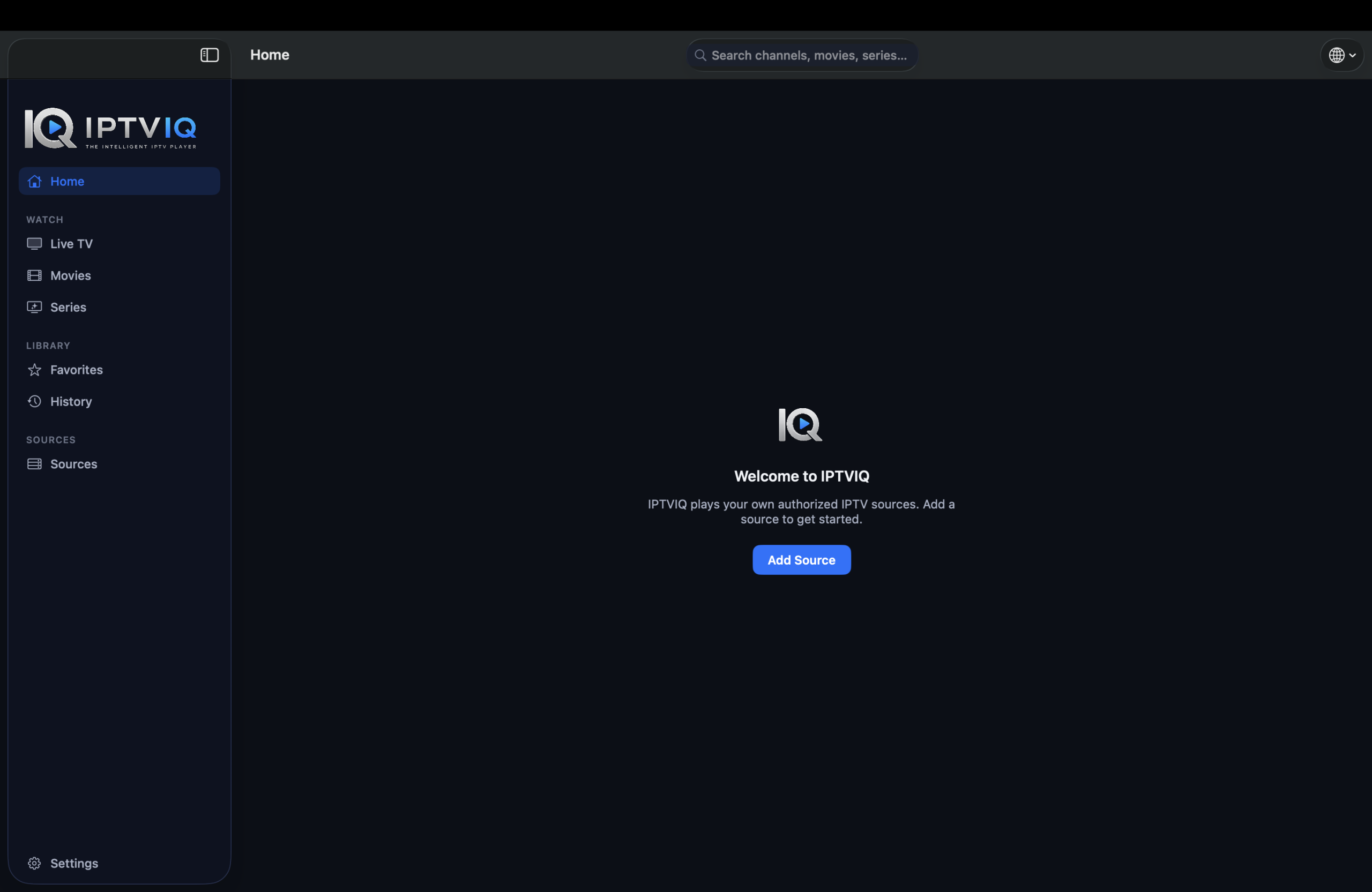
Most importantly, IPTVIQ does not provide IPTV subscriptions, channels or media itself. The application acts as the player between the user’s own compatible IPTV source and their Mac.
What Makes IPTVIQ Different from a Basic IPTV Player?
Traditional IPTV players often focus on one fundamental task: loading a playlist and playing a stream.
That may be enough for occasional viewing, but managing a large IPTV library quickly becomes more complicated.
IPTVIQ is designed around the complete viewing experience.
Instead of presenting everything as a basic channel list, it separates and organizes Live TV, movies, series, favorites, recordings, history and other parts of the user’s media environment.
This makes navigating a large content library considerably more practical.
Connect Different Types of IPTV Sources
Compatibility with different IPTV systems is particularly important because not every provider delivers content using the same method.
IPTVIQ supports several commonly used IPTV source technologies, including:
- Xtream Codes
- M3U
- M3U8
- XMLTV
- Stalker
- MAG
- Ministra
Users can also configure multiple sources instead of being restricted to a single IPTV connection.
The result is a centralized environment where compatible sources can be managed without requiring a completely different application for each one.
A Better Live TV Experience on macOS
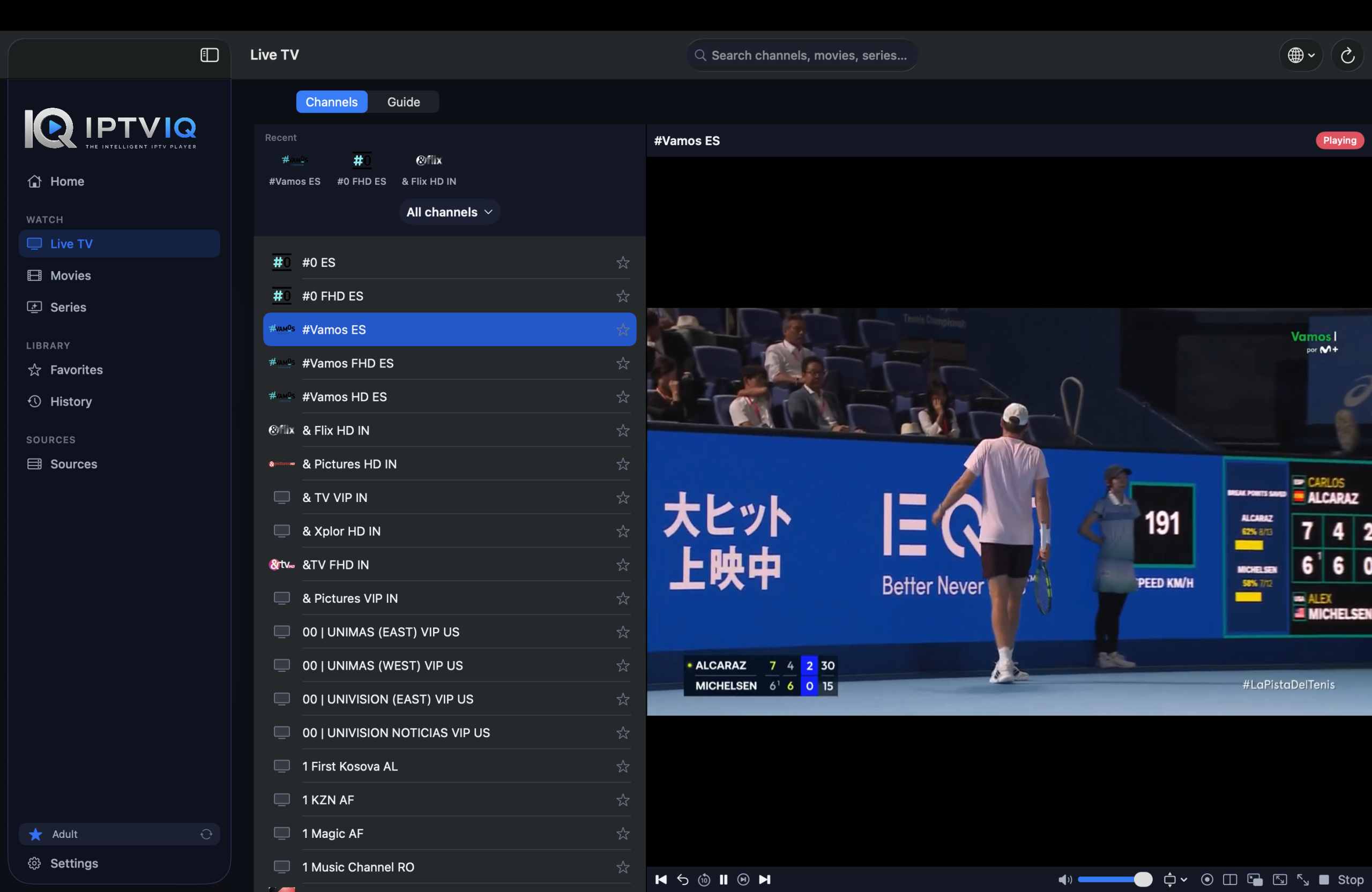
Live TV remains at the center of many IPTV setups, and IPTVIQ provides features intended to make channel browsing feel more like using a dedicated television platform.
Channels can be organized into categories, while EPG support provides programming information when suitable guide data is available.
A Mini-EPG can make it easier to see what is currently playing and what comes next without leaving the viewing experience.
Channel numbering and navigation features further reduce the friction associated with searching through large channel collections.
Of course, EPG accuracy and availability ultimately depend on the information supplied by the connected IPTV source.
Movies and TV Series in One Interface
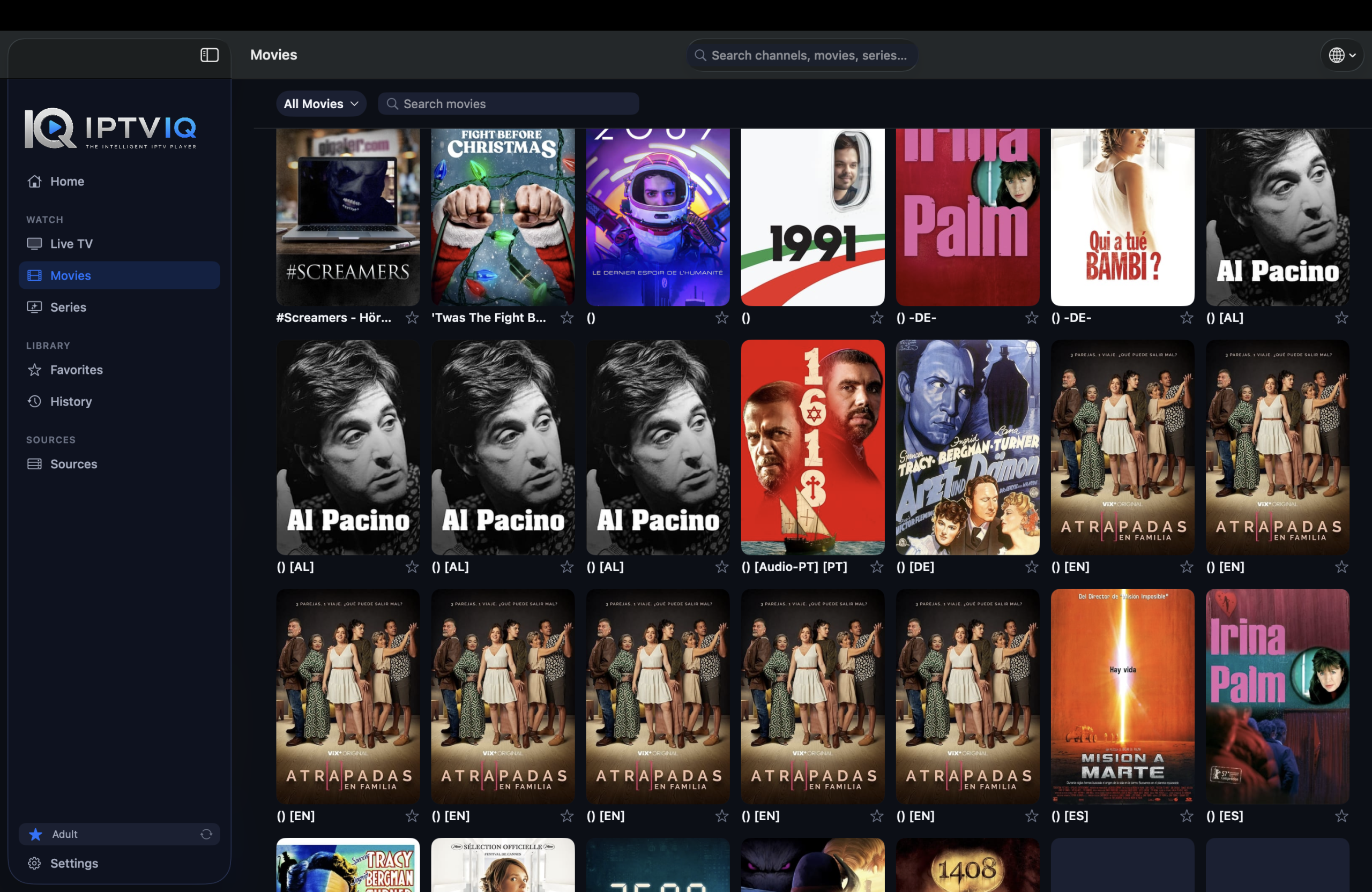
Many IPTV sources provide more than live television.
Where supported, IPTVIQ can organize available movies and television series into dedicated areas rather than mixing them with live channels.
This creates an experience closer to modern on-demand streaming applications.
Instead of remembering exactly where playback stopped, users can take advantage of viewing progress and Continue Watching functionality.
Stop a movie partway through, return later, and the application can help resume playback from the saved position.
The same principle is valuable for series, where keeping track of episodes becomes increasingly important as a library grows.
Build Your Own Favorites
With potentially hundreds or thousands of available channels, quickly finding frequently watched content can become difficult.
Favorites solve this by allowing users to create a smaller personalized collection.
Rather than navigating the complete source every time, favorite channels can be accessed more conveniently.
Combined with watch history and resume positions, this makes the application increasingly personalized as it is used.
Separate Profiles for Different Viewers
A shared Mac does not necessarily mean everyone wants the same IPTV experience.
IPTVIQ supports multiple profiles, providing a foundation for separating viewing preferences between users.
This becomes especially useful for families.
A Kids Profile can provide a more restricted environment where selected content can be approved or blocked rather than exposing children to the entire library available through an IPTV source.
Profiles also provide an important foundation for a future multi-device ecosystem because preferences can eventually be associated with a viewer rather than only with one installation.
Record Live TV with DVR
Sometimes watching a live broadcast at the exact time it airs is not practical.
IPTVIQ includes DVR functionality that can record supported live streams for later viewing.
Recordings can remain stored locally on the user’s device.
This local approach is significant because video recordings can consume substantial storage. Keeping DVR content local avoids automatically transferring large media files to a synchronization service.
DVR functionality still depends on the characteristics of the source, stream and device environment.
Catch-Up TV
Some IPTV services provide access to programming after its original broadcast.
IPTVIQ can work with Catch-Up functionality when it is supported by the connected provider.
This means a program that has already aired may still be accessible without having been manually recorded beforehand.
However, Catch-Up should not be confused with an archive independently maintained by IPTVIQ. Its availability depends on the IPTV provider and the capabilities of the connected source.
Watch Two Channels with Multiview
There are situations where one screen is not enough.
IPTVIQ’s Multiview functionality makes it possible to display two supported live streams simultaneously.
Sports viewers may find this particularly useful when multiple games or events are taking place at the same time.
It can also be valuable for news, financial programming or any situation where viewers want to follow two live broadcasts without repeatedly switching between channels.
Recovering from Stream Interruptions
IPTV playback depends on several factors outside the player itself, including internet connectivity and the stability of the IPTV source.
A temporary interruption does not necessarily mean that the stream is permanently unavailable.
IPTVIQ includes Smart Recovery, designed to help restore playback when a temporary stream interruption occurs.
Reducing manual reconnect attempts can make long live-viewing sessions considerably more comfortable.
Advanced Proxy Configuration
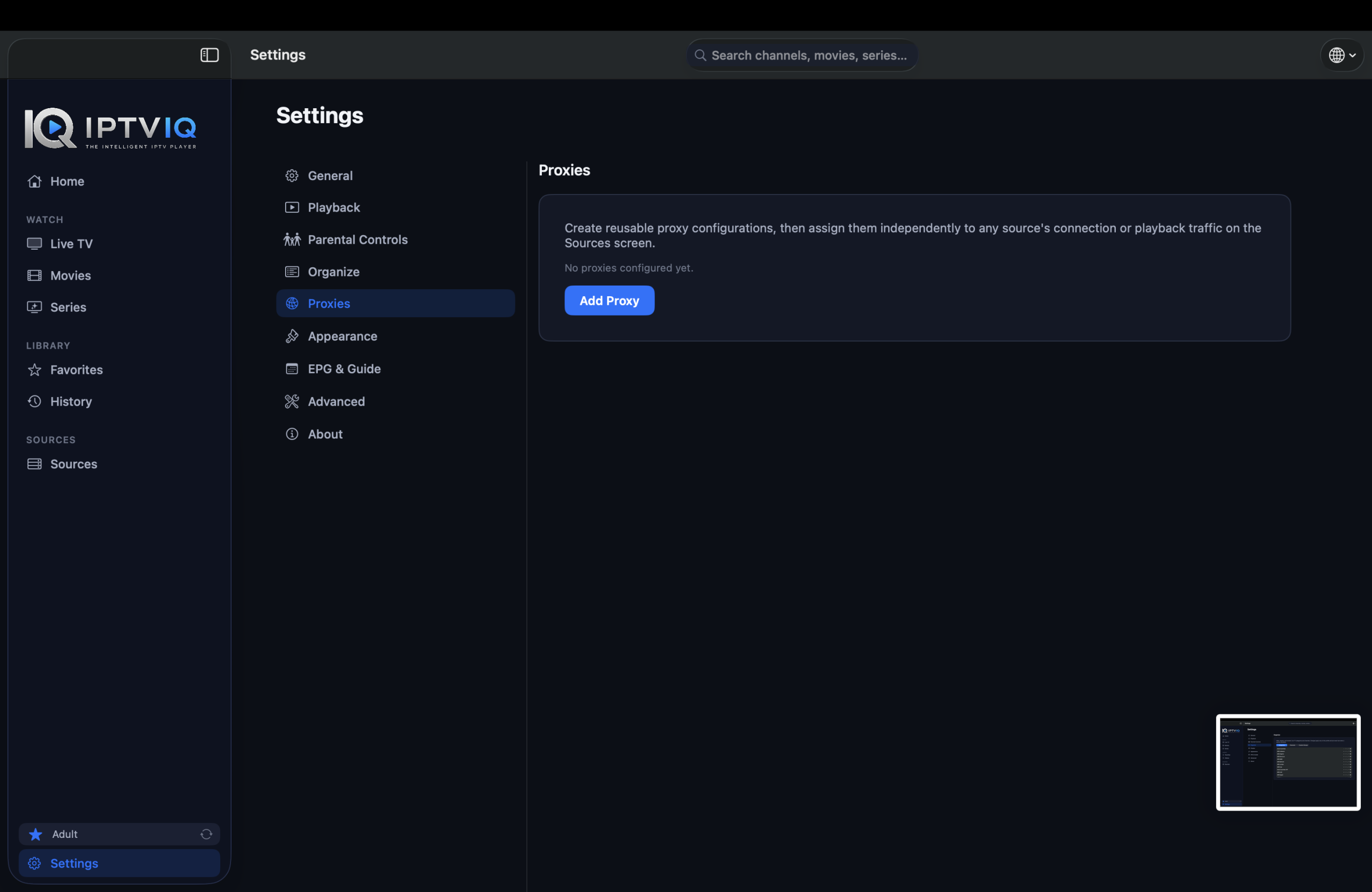
Some users need more control over how individual IPTV sources connect to the network.
IPTVIQ offers per-source proxy configuration with options including:
- Direct
- HTTP
- HTTPS
- SOCKS5
The per-source approach is particularly useful.
Instead of forcing every configured IPTV service to use identical network settings, different sources can have their own connection configuration.
This gives advanced users considerably more flexibility when managing multiple IPTV environments.
Privacy with a Local-First Approach
An IPTV player’s configuration can contain information users may not want unnecessarily transferred to third-party infrastructure.
IPTVIQ takes a local-first approach to important application information.
Source configurations, playlists, profiles and viewing-related information can remain on the user’s Mac, while sensitive credentials can use security mechanisms provided by macOS, such as Keychain.
This philosophy is also relevant to how synchronization could work as IPTVIQ expands to additional devices.
Synchronization does not require video streams to be routed through IPTVIQ servers.
How Cloud Sync Could Work Across Devices
Consider a simple scenario.
A user has been using IPTVIQ on a Mac for several months. During that time, they have added multiple sources, selected favorite channels, created profiles and accumulated viewing history.
They begin watching a movie on the Mac and stop at minute 42.
Later, the user installs IPTVIQ on another supported device, such as Apple TV.
Without synchronization, the second installation starts largely from scratch.
The user may need to configure sources again, recreate favorites and profiles, and the second device does not automatically know that the movie was stopped at minute 42.
Cloud Sync can address this problem by synchronizing selected application metadata.
For example:
Mac → Movie progress: 42 minutes
Cloud Sync → Resume position
Apple TV → Continue Watching from minute 42
Favorites could work similarly.
Marking a channel as a Favorite on one device could make that preference available on another device associated with the same account.
Other suitable synchronization data could include watch history, profiles, Kids Profile permissions, selected preferences and EPG mappings.
Large DVR recordings, on the other hand, could remain stored locally.
Cloud Sync Does Not Mean IPTV Proxying
There is an important technical distinction between synchronizing user data and streaming IPTV through the cloud.
They are not the same thing.
With direct playback, the desired architecture remains:
IPTV Provider → User’s Device
Cloud synchronization would operate separately:
Device A ↔ Sync Service ↔ Device B
Only appropriate metadata needs to travel through the synchronization layer.
The IPTV video itself does not need to follow this route:
IPTV Provider → IPTVIQ Server → User
This separation can provide cross-device convenience without transforming IPTVIQ into an intermediary responsible for retransmitting every IPTV stream.
From a Mac App to a Multi-Device IPTV Ecosystem
IPTVIQ is currently focused on macOS, but its product concept becomes particularly interesting when considered across multiple platforms.
An IPTV environment can become much more convenient when the same profiles, favorites and viewing progress are available across desktop, mobile and television devices.
A user could organize sources on a Mac, watch Live TV on a television, and continue a movie on another supported device without rebuilding their environment each time.
That is the difference between simply creating IPTV players for several platforms and building a connected IPTV ecosystem.
Who Should Consider IPTVIQ?
IPTVIQ is primarily aimed at people who already have access to compatible IPTV sources but want a more sophisticated player for managing them on a Mac.
Users who only need to open an occasional M3U playlist may not require every available feature.
However, those managing larger libraries or multiple sources may benefit considerably from features such as EPG, Favorites, Continue Watching, multiple profiles, Kids Profiles, DVR, Catch-Up, Multiview and advanced network configuration.
It is also important to understand that the quality and availability of actual content remain dependent on the IPTV source.
A player can improve organization, playback and usability, but it cannot independently improve the underlying quality or reliability of a provider’s streams.
Does IPTVIQ Include IPTV Channels?
No.
IPTVIQ should be understood as an IPTV player, not an IPTV service.
The application does not itself provide television channels, movies, series or IPTV subscriptions.
Users must connect their own compatible sources and are responsible for ensuring they are authorized to access and view the content provided through those sources.
This distinction keeps the role of the application clear: IPTVIQ provides the software experience used to access and manage compatible IPTV sources.
IPTVIQ demonstrates how an IPTV application can move beyond the traditional playlist-player model.
Multiple source support creates flexibility, while EPG, Continue Watching, Favorites, profiles and history improve everyday navigation. DVR and Catch-Up expand the possibilities of live television, Multiview enables simultaneous viewing, and Smart Recovery addresses one of the practical frustrations associated with internet-based streams.
More advanced functionality such as per-source proxy settings also gives experienced users greater control over their configurations.
Perhaps the most interesting long-term opportunity is the transition from a standalone Mac application to a synchronized multi-device experience.
By keeping IPTV streams direct while selectively synchronizing information such as Favorites, profiles and playback progress, IPTVIQ can preserve a local-first architecture while providing the convenience users increasingly expect from modern streaming platforms.
For Mac users looking for something more capable than a basic IPTV playlist player, IPTVIQ presents an interesting approach to organizing and watching their own compatible IPTV sources.